Ticket Manager now supports Linear's issue templates and form templates. If your engineering team has already set up templates in Linear, your support team can use those same templates when creating tickets from Crisp.
Why this matters
Most teams using Linear have set up issue templates to standardize how bugs, feature requests, and tasks get reported. But until now, tickets created from Crisp bypassed those templates entirely. Support agents had to remember which fields to fill in and what context to include on their own.
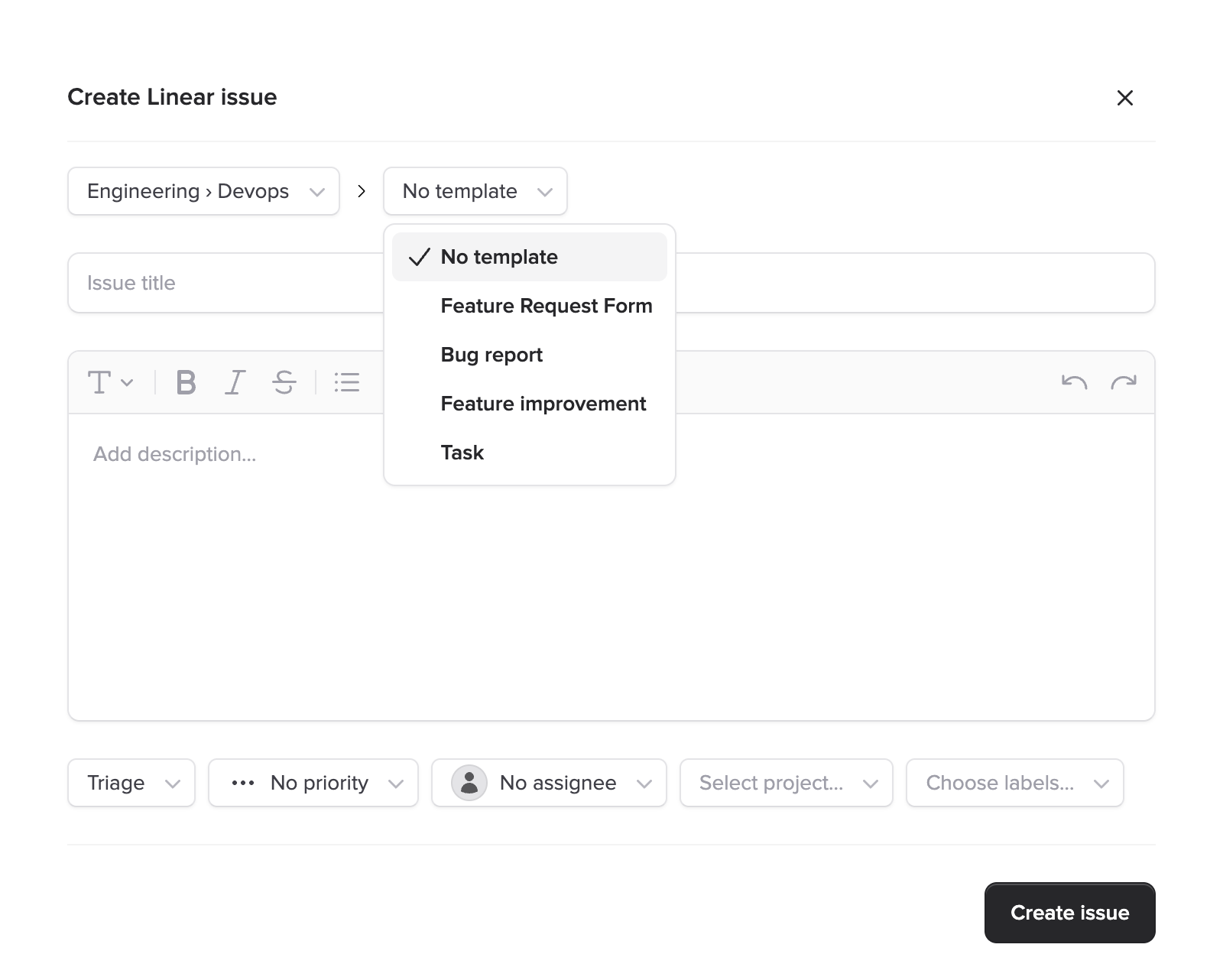
With this update, Ticket Manager pulls your Linear templates into the ticket creation flow. Agents pick a template, and the form fills itself in with the right defaults. The structure your team expects is built right into the workflow.
Issue templates
Linear's issue templates let teams define reusable ticket blueprints with pre-set values for title, description, priority, labels, and assignee. Your support team can now select from these templates when creating a ticket in Ticket Manager.
How it works
- Template picker - When creating a ticket, agents see a dropdown of available templates for the selected team
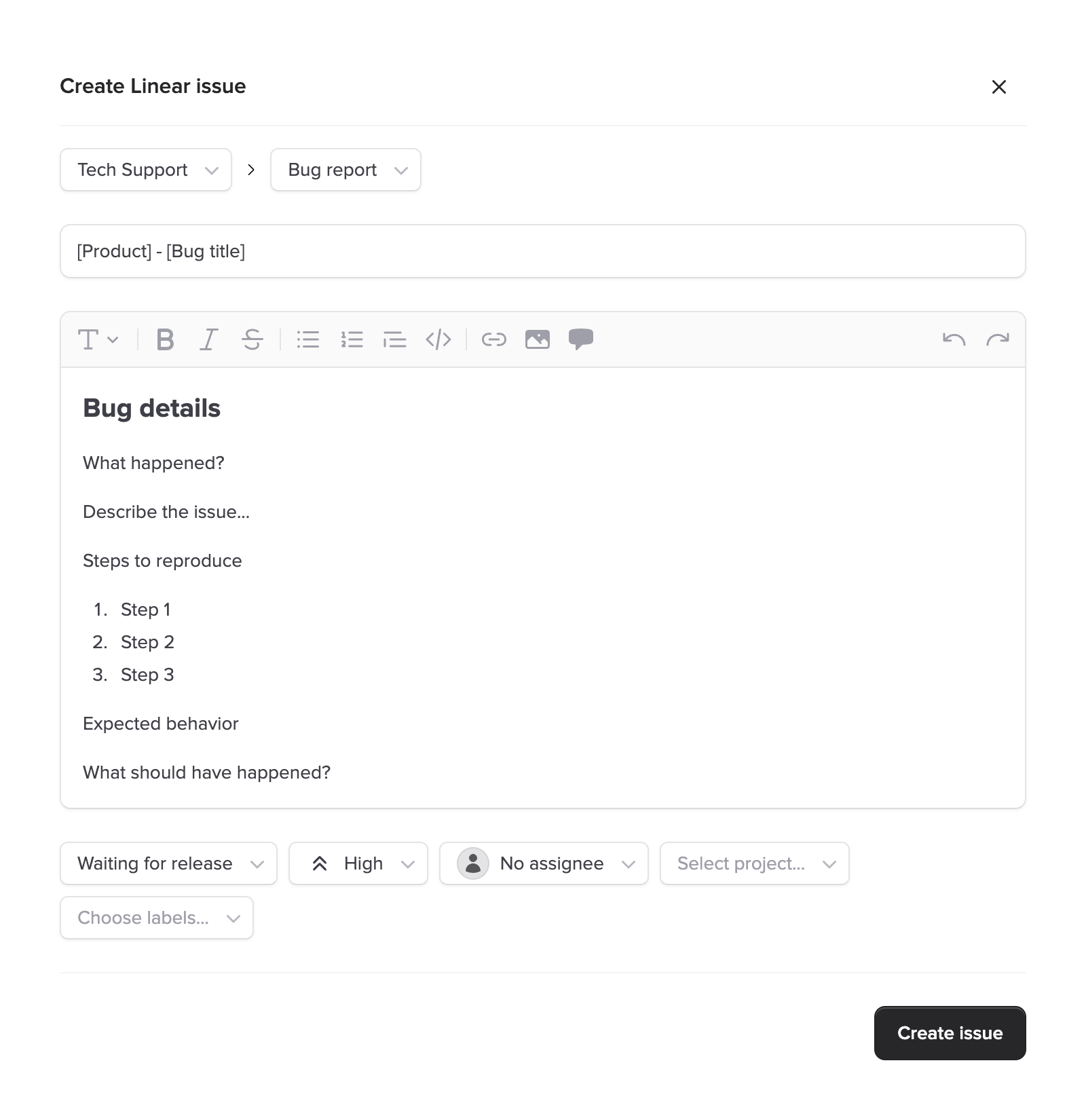
- Pre-filled fields - Selecting a template fills in the configured defaults: priority, labels, project, assignee, and description
- Still editable - Agents can modify any pre-filled value before submitting, so templates guide without locking things down
- Team-scoped - Templates are filtered to the selected team, so agents only see what's relevant
Form templates
Linear also offers form templates, which go further than simple field pre-fills. Forms can include custom input fields, required sections, and guided flows that walk the submitter through exactly what information is needed.
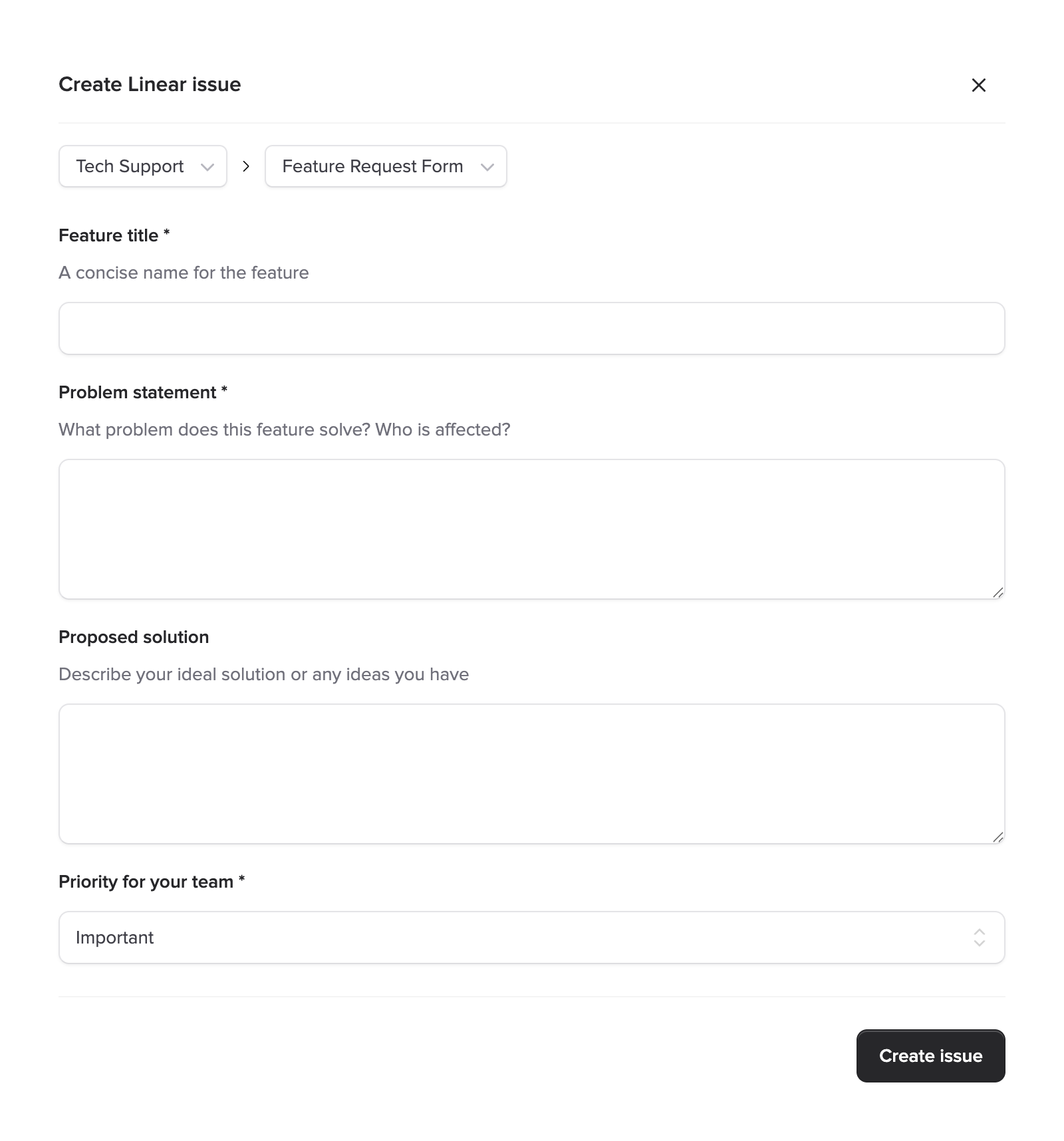
Ticket Manager renders these form templates natively inside the Crisp widget. When a support agent selects a form template, they see the full form layout with all the custom fields and validation your team has configured.
What you get
- Custom fields - Text inputs, dropdowns, checkboxes, and other field types from your form template show up automatically
- Required fields & validation - Forms can enforce which fields need to be filled out before submission, cutting down on incomplete tickets
- Structured descriptions - Form responses get formatted into a clean ticket description that's easy for engineers to read
- Consistent quality - Every ticket created through a form template includes the information your team actually needs
Better tickets, less back-and-forth
The real win here is consistency. When every bug report includes reproduction steps, environment details, and severity because the template asks for it, engineers spend less time chasing context and more time fixing the issue.
Fewer incomplete tickets
Forms ensure agents provide all required context before submitting.
Faster triage
Tickets arrive with the right labels and priority, ready for assignment.
No training needed
The template tells agents what to fill in. No tribal knowledge required.
One source of truth
Manage templates in Linear and they show up in Ticket Manager automatically.
Getting started
If your Linear workspace already has templates configured, they'll show up automatically in Ticket Manager the next time an agent creates a ticket. There's nothing to set up on the Ticket Manager side.
- Set up templates in Linear - Create issue templates or form templates in your Linear workspace under Settings → Templates
- Select a team - When creating a ticket in Ticket Manager, choose the team whose templates you want to use
- Pick a template - Select from the list and fill in the form
- Submit - The ticket is created in Linear with all the structured data from the template
Pro tip
You can combine templates with the Auto-Create Tickets feature. Auto-created tickets use your default configuration, while manually created tickets can use specific templates for detailed bug reports or feature requests.
Learn more
New to Linear templates? These resources are a good starting point:
- Linear Docs: Issue Templates - How to create and manage issue templates
- Linear Changelog: Forms - Linear's announcement of form templates
- Linear Docs: Forms - Full documentation on building form templates